

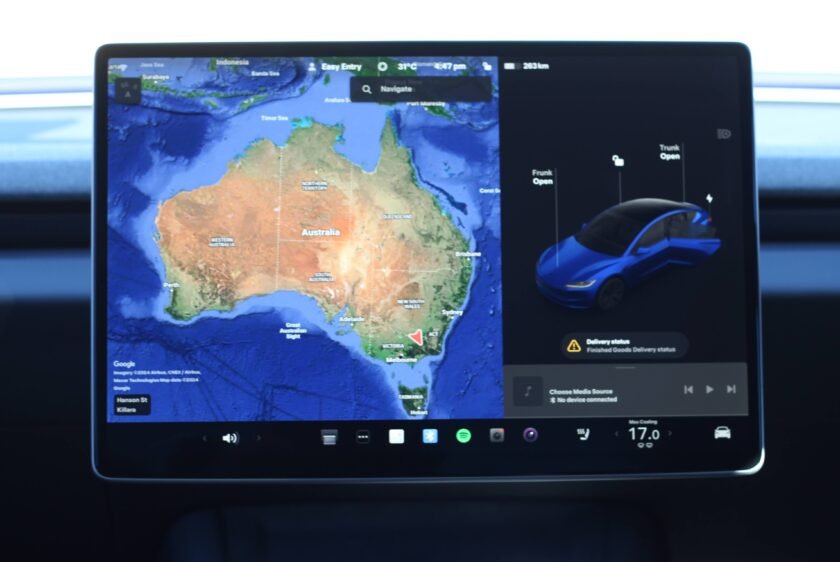
Tesla owners in Australia are getting another software update for their vehicles today. Software release 2026.2.6.1 improves on the voice control in the vehicle, by leveraging a modern LLM – Grok.
Developed by xAI (recently aquired by SpaceX) that shares the same boss as Tesla, Elon Musk, now allow conversations as you drive. As with the voice-powered large language model on your phone, it can provide real-time information to you while driving and even get things done to better make use of your commute.
To get Grok, there are a few conditions, firstly, you ned a Tesla with the necessary hardware, in this case, the AMD Ryzen processor, which was introduced in model year 2022 Model 3 and Model Y.
This is independent of HW3 or HW4 Autopilot hardware (computer + cameras), however there is a difference in roll out.
The rollout is structured in waves, starting today with vehicles equipped with Hardware 3 (HW3). This provides an immediate boost to a large portion of the existing Australian fleet that has been waiting for new functionality.
Owners of newer vehicles featuring Hardware 4 (HW4) won’t have to wait much longer. Tesla has confirmed that subsequent waves including HW4 vehicles will commence over the coming days as the software stabilises.
Your vehicle needs to be running software version 2025.26 or later, and you also need to have Premium Connectivity, which is a A$13.99 per month subscription. This makes sense when you consider your interactions with Grok will be transiting data back and forward to xAI servers using the 4G connection in your the car.

What can you do with Grok?
Using Grok while behind the wheel transforms the driving experience from a functional commute into an interactive research session. Because Grok has access to real-time data and a more conversational personality than previous voice assistants, you can ask it to provide deep dives into your surroundings.
Since Grok is now live across Australia, you might be wondering exactly how to put it to work. Unlike the standard voice system, you can treat Grok like a conversational partner to handle more complex, multi-step requests.
Here are a few prompt ideas to try out next time you hit the right scroll wheel on your steering wheel.
Intelligent navigation and planning
Because Grok can handle contextual logic, you don’t need to be as rigid with your phrasing. Try being specific about your time or lifestyle constraints.
“Grok, navigate to the airport, but find a coffee shop with high ratings on the way that won’t add more than ten minutes to the trip.”
“I need to go to Bunnings, the chemist, and then a Coles. Navigate to them in the most efficient order from here.”
“Take me to the nearest Supercharger that is within walking distance of a park so I can stretch my legs.”
Real-time local insights
Grok is plugged into X (formerly Twitter) and other real-time data sources, making it great for understanding what is happening around you right now.
“Grok, I’m stuck in traffic on the M1. Can you find out if there’s an accident ahead and what the estimated clearance time is?”
“What is that big stadium we just drove past, and is there a game on there tonight?”
“Tell me the history of this town as we drive through it, and keep it brief.”
Productivity and entertainment
If you have passengers or just want to make use of a long commute, Grok’s diverse personality modes can make the cabin feel much more alive.
“I have a meeting about renewable energy today. Can you give me a quick refresher on how the Australian power grid is changing in 2026?”
“Grok, switch to Storyteller mode and tell the kids a story about an electric car that goes on an outback adventure.”
“Summarise the top three tech news stories from Australia this morning while I drive.” (hopefully you get some from techAU).
Using the system is designed to be intuitive and integrated into the existing driving experience. You can enable the assistant directly from the steering wheel controls, allowing for hands-free interaction while on the road.
Inside the settings menu, you can set the personality of the AI to Assistant mode.
Privacy is often a primary concern when it comes to AI integrations in personal spaces like a car. Tesla has addressed this by ensuring that interactions with Grok are securely processed by xAI in line with their specific privacy notice.
Importantly for local owners, these conversations remain anonymous to Tesla. The data is not linked to your personal identity or your specific vehicle identification number, maintaining a layer of separation between your queries and your car.
The introduction of Grok represents a shift in how we interact with our cars, moving from rigid voice prompts to natural language processing. It turns the center screen into a much more capable information hub than it has ever been.

“Grok is designed to deliver accurate and insightful responses to questions of a wide range.”
Tesla Press Release, Tesla Australia.
If your car is eligible, keep an eye on your Tesla App throughout the day. You should receive a notification as soon as your vehicle’s VIN is included in the current deployment wave.
Once the download is complete and the software is installed, you will find the new Grok options within the vehicle settings. It is worth taking a few minutes to configure the personality settings to suit your preferences before your next drive.
As the first big update of the year, it sets a high bar for what we can expect from Tesla’s software team for the remainder of 2026 which should include V14 and V14 Lite of FSD.
For more information, head to https://www.tesla.com/en_au/support/grok
While it is Australia’s turn today, Grok has been available for US and Canadian customers since December as part of the Christmas update. Earlier this month, it began rolling out in the UK and other EU countries as part of software update 2026.2.6. Go Green Autos published a great run down of Grok in the car 5 days ago.


 English